


 Facebook
 Instagram
 LinkedIn
 Youtube
My Placements – Place your items on intended garments

Written by
Karin Goffe
Tips & Tricks
How does my placements work?
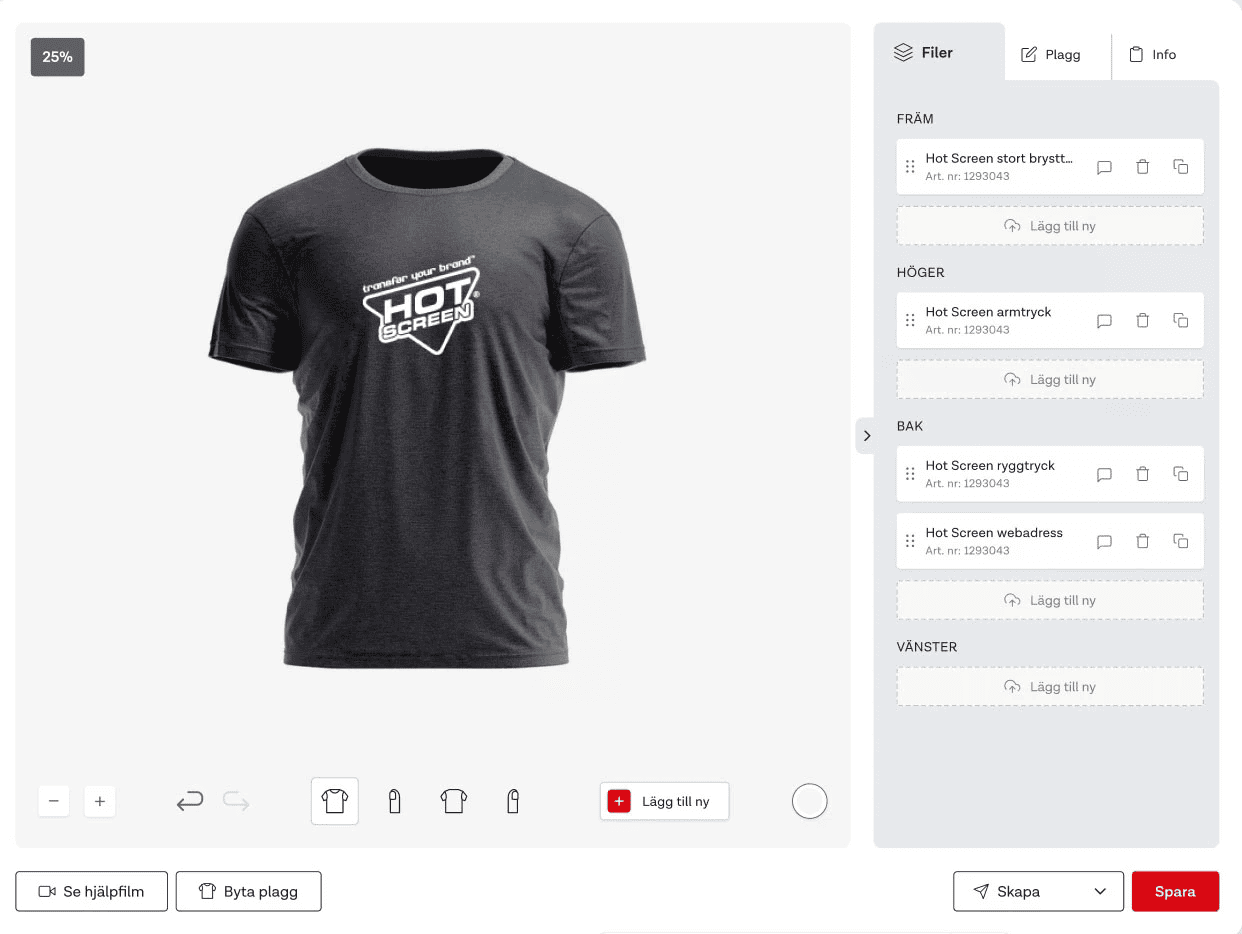
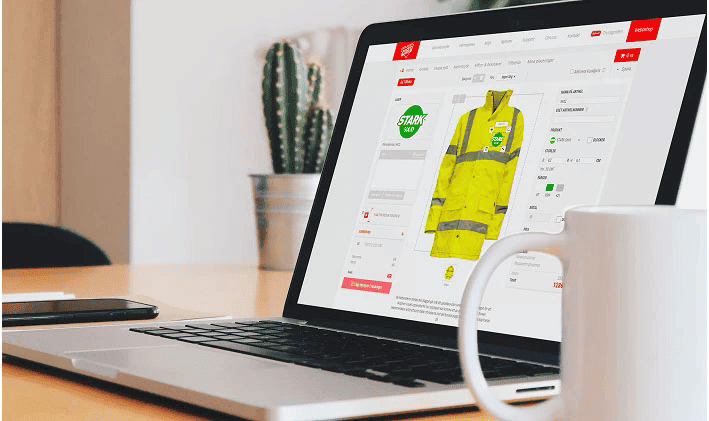
In My Placements, you can easily plan and save placements for heat transfers on your garments. With our placement tool, you create a clear and professional sketch that simplifies proofing and ensures correct application. This makes it easy to guarantee accurate orders and consistent application through clear communication with both customers and the production team.
The three best features in My Placements:
-
Structured library – Quickly find what you’re looking for by filtering by customer, garment type, or other relevant attributes.
-
Create a placement anytime – Wherever you are in the process, you can easily create a placement. As long as an article is available, you have full freedom to plan and adjust your design!
-
Fixed articles & logo areas – Link the correct articles to each garment for smooth and simple repeat orders. Mark exactly where the heat transfer should be placed and ensure correct ordering and application every time!
Create a placement
– watch the video below or read the guide.
– watch the video below or read the guide.
1. Select Garment
Select the garment and colour you want to place your items on. Here you’ll find both standard garments and garments you’ve uploaded yourself.
If you can’t find the right garment, you can create your own under My Garments → Create Garment.
2. Choose article
You can choose from all the items you’ve ordered in your product catalogue. Select one or more items to place.
To quickly find what you’re looking for, use the search function and filter by name, item number or category.
3. Place article
Place the articles exactly where you want them. If the garment has multiple sides, you can easily navigate between them to see all angles. Articles can only be placed in the logo areas you selected when creating the garment. Fixed articles and pre-defined logo areas are also shown here, giving you a clear overview of all placements on the garment.
4. Create Placement
Enter a name, reference and customer if desired. Then generate the placement.
Once the placement is ready, you can download it as a PDF or open it. From there, you can send it to the customer or forward it to production for heat application.